DIY Hard Drive Recovery: What You Should Know
Table Of Contents
Using Data Recovery Software
Data recovery software can be invaluable for retrieving lost files from a damaged or corrupted hard drive. These programs scan the drive for recoverable data, allowing users to restore files that may have been accidentally deleted or otherwise rendered inaccessible. Many options are available, with varying levels of effectiveness depending on the nature of the drive failure and the specific software features.
Before selecting a program, it is crucial to consider factors such as ease of use, recovery success rates, and compatibility with your operating system. Some solutions offer free versions with basic functionality, while others require a paid licence for full access to advanced tools. Conducting thorough research and reading reviews can help ensure you choose software that best fits your needs and maximises your chances of successful recovery.
Recommended Programs for Effective Recovery
Numerous programs are available that cater to various recovery needs. Recuva is a popular choice for its user-friendly interface and effectiveness in recovering deleted files from hard drives, memory cards, and other storage devices. Another reliable option is EaseUS Data Recovery Wizard. This software offers a comprehensive recovery solution, capable of recovering lost data from formatted drives or partitions.
For users needing robust recovery features, Stellar Data Recovery is worth considering. It supports retrieval from damaged drives and offers specialised tools for specific file types. TestDisk is an open-source option that provides advanced users with powerful recovery capabilities, especially for lost partitions. Evaluating these programs based on specific requirements can significantly enhance the chances of successful data recovery.
Handling Physical Hard Drive Repairs
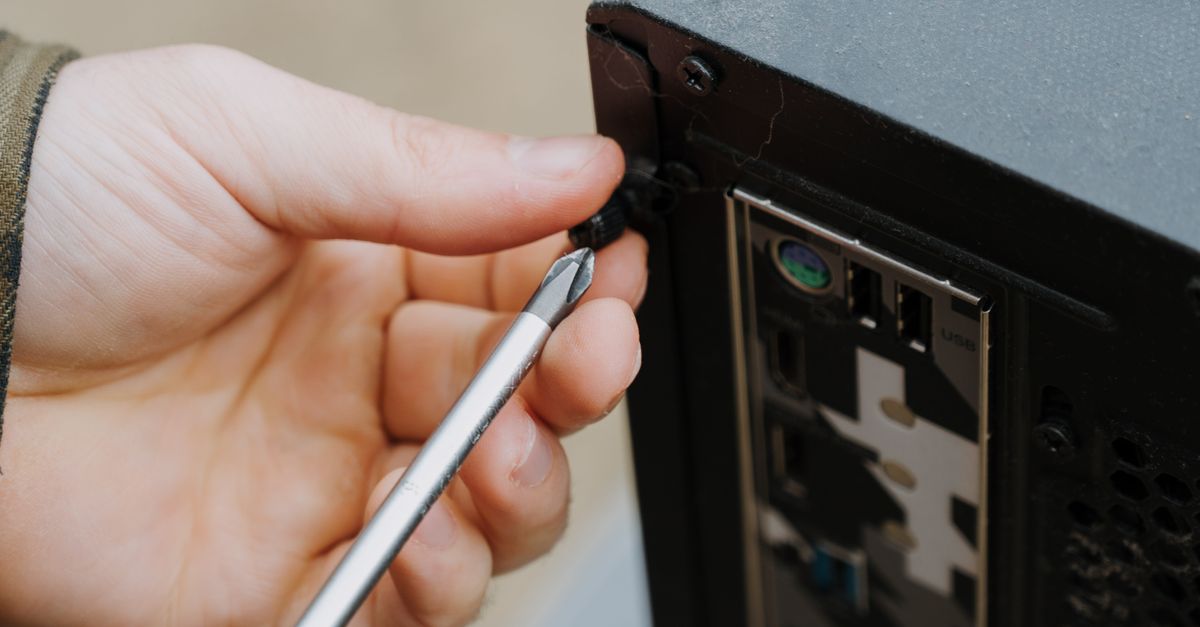
Physical repairs to hard drives present significant challenges. Familiarity with the internal components is essential before attempting any repairs. Tools like torx screwdrivers and anti-static wrist straps are crucial for disassembly. Dust and debris must be kept at bay to avoid further damage. It is important to document each step in the repair process. This practice helps ensure that parts are reassembled correctly and aids troubleshooting should issues arise later.
For those lacking experience with hardware repairs, caution is advised. Opening a hard drive can lead to voiding warranties and may cause irreversible damage. If the drive emits unusual sounds or shows signs of physical wear, it may be a signal of severe internal damage. In such cases, patience is key. While it may be tempting to attempt immediate repairs, seeking professional assistance can be the most prudent step. Understanding the limitations of personal expertise is crucial to avoid compounding the problem.
When to Seek Professional Help
Recognising the limitations of DIY recovery efforts is vital for minimising further damage. If your hard drive has suffered physical damage, such as a clicking sound or failure to spin up, it's best to refrain from further attempts at recovery. These symptoms typically indicate serious issues that software cannot fix. Attempting to open the drive or use recovery tools might lead to irreversible data loss, so it's wise to seek professional assistance at this point.
Professional data recovery services possess the experience and specialised equipment necessary to recover data from physically damaged drives. Technicians can perform intricate repairs in controlled environments, increasing the chances of successful recovery while preserving data integrity. When data is critical and the stakes are high, engaging a professional ensures the best possible outcome without risking additional losses from DIY attempts.
Preventing Future Data Loss
Implementing a robust data backup strategy can significantly mitigate the risk of future data loss. Regularly backing up data ensures that in the event of hard drive failure or accidental deletion, important files remain accessible. Options for backup include cloud storage solutions, external hard drives, and network-attached storage, each offering varying levels of convenience and security. It is advisable to adopt the 3-2-1 backup rule, which entails keeping three copies of data on two different media types, with one of those copies stored off-site.
Maintaining the health of hardware is equally vital for data preservation. Performing routine checks on hard drives can help identify potential issues before they lead to catastrophic failures. Keeping systems updated, using reliable antivirus software, and avoiding sudden power cuts by using uninterruptible power supplies (UPS) can all contribute to safeguarding data. User education on best practices for file management and the significance of periodic backups plays a crucial role in preventing data loss.
Best Practices for Data Safety
Implementing regular backups is essential for safeguarding digital data. Use automated backup solutions that save copies of critical files to an external drive or cloud storage. Scheduling backups weekly or monthly can ensure that even recent changes are preserved. Familiarity with backup software is beneficial to streamline the process and avoid any lapses in data protection.
Maintaining hardware in optimal condition also plays a vital role in data safety. Make sure to keep the hard drive clean and cool, as excessive heat can affect performance. Regularly check for signs of wear or failure, including unusual sounds or slow operation. Consider performing system updates to enhance security and stability, reducing vulnerability to data loss through malware and other threats.
FAQS
What is DIY hard drive recovery?
DIY hard drive recovery refers to the process of attempting to recover lost or damaged data from a hard drive using tools and techniques that individuals can perform themselves, without the need for professional assistance.
What data recovery software is recommended for effective recovery?
Some recommended data recovery software includes Recuva, EaseUS Data Recovery Wizard, and Stellar Data Recovery, which are known for their user-friendly interfaces and effectiveness in retrieving lost files.
When should I consider seeking professional help for hard drive recovery?
You should consider seeking professional help if you hear unusual sounds from your hard drive, if the drive is physically damaged, or if DIY recovery methods fail to retrieve your data.
What are some best practices for preventing future data loss?
Best practices for preventing future data loss include regularly backing up your data, using cloud storage solutions, and maintaining your hard drive by checking for errors and keeping it free from physical damage.
Is DIY recovery safe for my hard drive?
DIY recovery can be safe if done correctly, but it carries risks, especially with physical repairs. It’s important to follow instructions carefully and use appropriate tools to avoid causing further damage to the hard drive.
Related Links
Hard Drive Recovery Myths DebunkedUnderstanding Hard Drive Recovery Processes for Sunshine Coast Residents
The Role of SSDs in Data Recovery
Preparing Your Hard Drive for a Successful Recovery
Recovery Options for Physically Damaged Hard Drives
How to Choose the Right Hard Drive Recovery Service